 Fotilo
CleanShot X alternative
A CleanShot X alternative for Mac
Fotilo is a native Mac app for screenshots and screen recordings. It does what most people use CleanShot X for (capture, mark up, long screenshots, copy text, blur, pin) and adds a recording editor that zooms in on where you click, writes captions and dubs your video into other languages in your own voice. The free version has no watermark and needs no account.
macOS 14 or later, Apple silicon and Intel · Free forever, no account
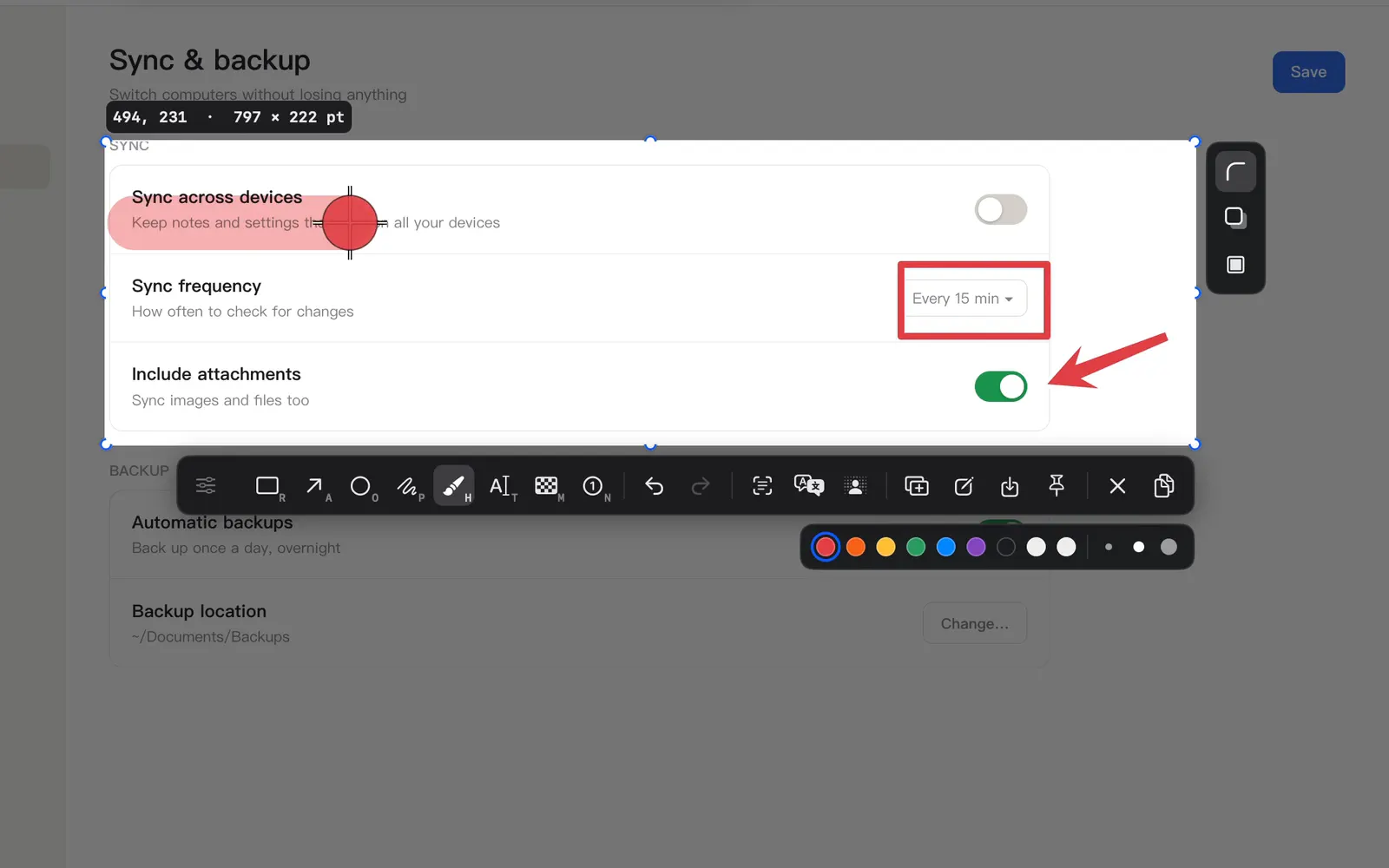
What you get with Fotilo
- Mark up right on the screen. Once you frame an area, the toolbar appears beside it: arrows, boxes, text and mosaic. Press Return and the marked-up image is on your clipboard. See it
- Long screenshots. Scroll and Fotilo stitches as you go, without repeating the header that stays fixed at the top. How it works
- Copy text from any image. Press ⇧⌘O and drag over text in a screenshot, a paused video or a button you can't select. Drag over a QR code and you get the link inside.
- Blur before you send. Drag a box and every copy of the same text is covered too, or have it find emails, phone numbers, card numbers and keys and cover them all at once.
- Step numbers, spotlight and magnifier for how-to guides and bug reports.
- Recordings ready to post. The camera moves in on where you click, window recordings come framed with a wallpaper and rounded corners, and the cursor glides. See it
- Captions and dubbing in your own voice. Talk in your own language, then add English captions and an English voice-over that sounds like you. Japanese, Spanish and more work too. Listen to samples
- Your AI assistant can do the editing. Claude Code, Codex, Cursor and other assistants can trim, zoom, blur and caption for you, on your Mac. It stays off until you switch it on. How to connect
Moving over from CleanShot X
- Rebind every shortcut, or pick a ready-made shortcut set on first launch.
- Drag any capture into Finder or a chat as PNG, JPG or PDF.
- Capture history keeps your markup, so you can reopen a screenshot later and keep editing.
When CleanShot X is the better pick
CleanShot X has been around for years and has a big following. If you share captures as links through its cloud and your team is used to that, staying with it makes sense.
Questions
Is Fotilo free?
Yes. The free version takes full-screen, region, window and timed screenshots, long screenshots as you scroll, marks them up, copies text, pins captures on screen and records your screen with system audio and mic. No watermark and no account. Paid plans add more, such as auto-scroll, step markers, auto-redaction, auto zoom, captions and dubbing. See pricing.
Does Fotilo upload my screenshots or recordings?
No. Capture, text recognition, captions and editing all happen on your Mac.
Do I need an account?
No. The free version needs nothing. If you buy Pro, you get a license key to paste into Fotilo's settings.
Which Macs does it run on?
macOS 14 or later, on Apple silicon and Intel. Dubbing needs a Mac with Apple silicon.
macOS 14 or later, Apple silicon and Intel · Free forever, no account